Trust and multiplayer
Let other players give your friends orders, what is shared when they talk to your friend, and how strangers can chat with it.
Your friends work for you. You can also let other players give them orders, and anyone can chat with them if you allow it. Each player’s private talk with their own friends stays with that player.
Trusting a player
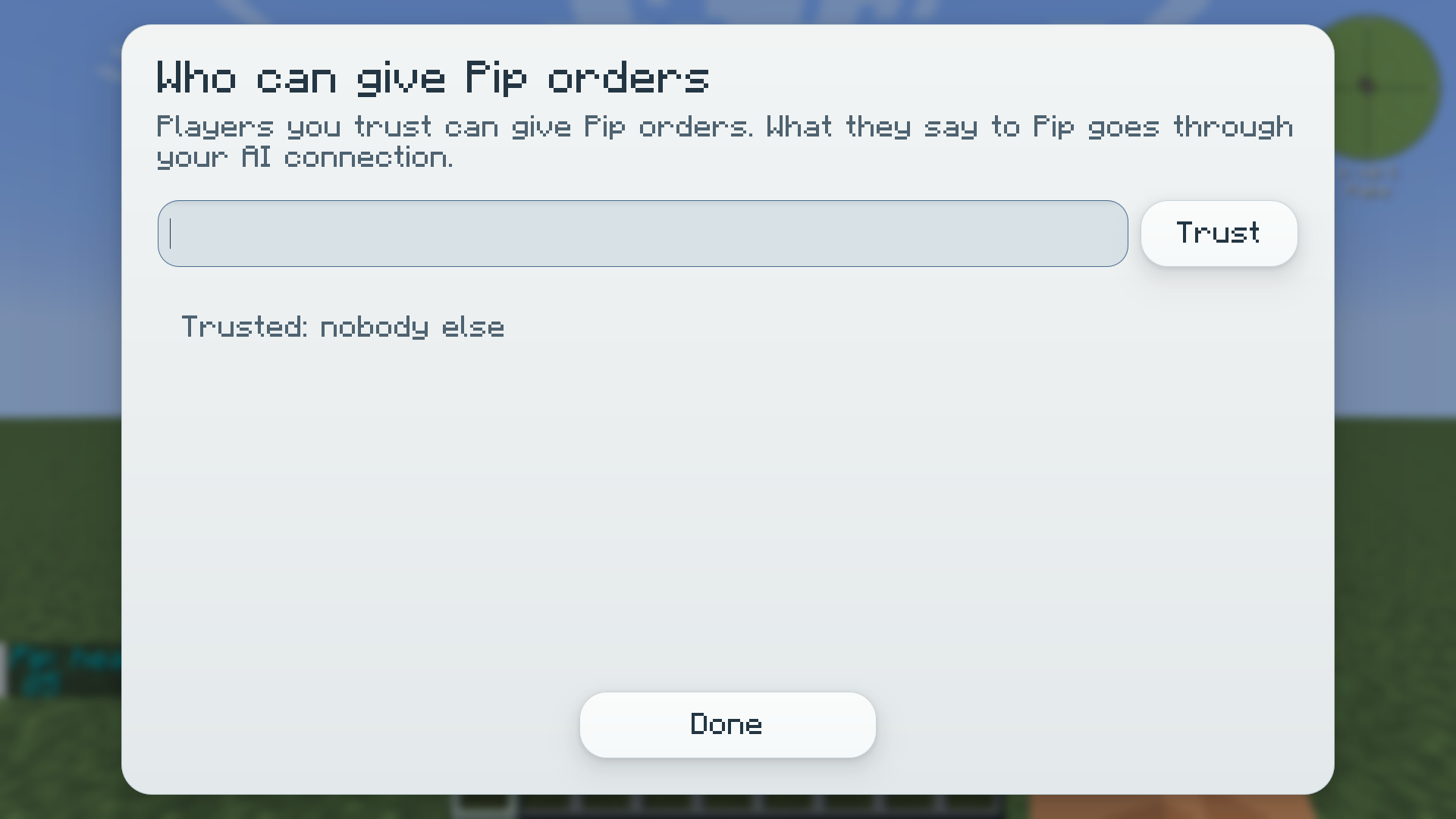
Section titled “Trusting a player”Open Trust for a friend in the friends menu. The screen says: “Players you trust can give Pip orders. What they say to Pip goes through your AI connection.” Type the player’s name and press Trust. Press Untrust beside a name to take it back. Or use commands:
/pyhf trust <friend> <player>/pyhf untrust <friend> <player>The player must be online to be trusted. Untrusting works while they are offline. Only the owner can change trust.
A trusted player can give your friend the simple orders and ask it for things. They can’t edit, remove or set home for your friend, or change who is trusted. Your own active jobs come first: see Who can give orders. When you untrust someone, any order of theirs still waiting is dropped, and a fight your friend was in for them stops.
What is shared
Section titled “What is shared”What a trusted player says to your friend goes through your AI connection and uses your account. It is not private:
- Before their first message to your friend, they see a notice such as “Messages to Pip are shared with their owner, Alex, and go through their owner’s AI connection. They are not private. Press Enter again to send.” Nothing is sent until they send it again.
- Their lines show as
[shared], and voice they aim at your friend asks them to confirm first. - Your friend answers them from its public side only: its public description, its style and what they said. Your private memories, chats and notes are never used for them.
Each player’s private chats with their own friends never reach any other player or the server.
A server limits how fast other players’ messages reach your connection (6 a minute by default). Too fast, and they see “You’re talking to Pip a bit fast. Give them a moment.”
Strangers
Section titled “Strangers”Players you haven’t trusted can chat with your friend by mentioning it in public chat (@Pip hello). They can’t give it orders. Their chat also uses your connection, and they get the same sharing notice first.
Chat with strangers in your friend’s settings turns this off. When it is off, you are offline or your connection is down, a stranger gets a short line in grey instead, such as “Pip seems busy right now.” That line is not written by an AI and says nothing about your settings.
Whispering (/msg) to someone else’s friend isn’t supported yet: use a public @ mention.
Playing on a server
Section titled “Playing on a server”- Install the mod on the server and on every player’s game. The server still handles a player without the mod: they get the mod’s messages as plain chat and can talk to friends with
@<friend>in public chat, but their own friends can’t think. - Each player brings their own AI connection. It is set on their own computer, not on the server.
- A friend plans only while its owner is online. When its owner logs out, it stops and waits.
- What a friend may do is checked by the server, as if the player it works for were doing it. See Servers.